How to Connect a Logitech MX Vertical Mouse
Connect your Logitech MX Vertical with either its USB receiver or Bluetooth. Charge it first, then press the channel button and pair. The mouse works with Windows, macOS and iPadOS over Bluetooth, and the receiver is a plug-and-play option.
On this page (9 sections)
- Should you use Bluetooth or the USB receiver?
- How do you connect a Logitech MX Vertical mouse over Bluetooth?
- How do you connect the mouse with the USB receiver?
- What do you need before you start?
- Why won't my Logitech MX Vertical connect?
- How do you set up the MX Vertical after pairing?
- Which MX Vertical version should you buy?
- What else should you know about the connection?
- How do you keep the MX Vertical connected long term?
Here's how to connect a Logitech MX Vertical mouse: charge it, turn it on, then pair over Bluetooth or plug in the USB receiver. The mouse pairs with Windows, macOS and iPadOS, and the included USB-C cable lets you charge it while you set it up.
The MX Vertical ships with a receiver and a USB-C cable, so you have more than one way to get it running. Pick the method that matches your computer, and keep the receiver for a machine that has no Bluetooth.
Should you use Bluetooth or the USB receiver?
Use Bluetooth if your computer supports it, and reach for the receiver when it doesn't. Bluetooth leaves your USB ports free and lets you switch between up to three paired devices with the channel button.
The receiver is the simpler first-time option. It plugs in like any standard USB mouse, so there's no pairing menu to work through.
Logitech includes the receiver with the mouse, and it's handy for a desktop that has Bluetooth switched off or missing.
Bluetooth has its own advantages. The MX Vertical supports Bluetooth Low Energy on Windows 10 and later, macOS 10.15 and later, and iPadOS 13.4 and later, so a laptop can connect without a dongle.
Wireless range is about 10 m. Keep the receiver in a port that isn't buried behind a metal case if you can.
Which port should the receiver go into?
Plug the receiver into a free USB-A port and leave it there. A port on the back of a desktop tower can be blocked by a desk, so a front or top port often works better.
Skip a crowded hub if the mouse drops out. A direct port on the computer is the most reliable spot.
How do you connect a Logitech MX Vertical mouse over Bluetooth?
Turn the mouse on and put it into pairing mode, then add it in your computer's Bluetooth settings. The channel light blinks fast when the mouse is ready to pair.
- Slide the power switch on and charge the mouse if the light shows low battery.
- Press and hold the channel button until the light blinks quickly.
- Open Bluetooth settings on your computer and turn Bluetooth on.
- Find the MX Vertical in the list of available devices and select it.
- Confirm any pairing prompt. The light stays solid when the mouse is connected.
The mouse pairs to the first channel by default. If you press the channel button instead of holding it, you may land on an empty channel.
Hold it again until the fast blink starts.
On a Mac, the device appears under Bluetooth in System Settings. On Windows, it shows in Settings under Bluetooth and devices.
How do you pair the mouse with a second device?
Pair the second computer to a different channel. Press the channel button to move to channel 2, hold it to enter pairing mode, then add the mouse on that computer.
The MX Vertical keeps up to three devices paired. After setup, a single press of the channel button switches between them.
The light pattern tells you which channel is active.
This is the setup to use if you move between a work laptop and a home desktop. You don't need to re-pair each time, just switch channels.
If the other computer is a trackball or a keyboard setup, the same channel idea applies. Our walkthrough on how to connect a Logitech M575 trackball covers its own pairing steps.
How do you connect the mouse with the USB receiver?
Plug the receiver into the computer and turn the mouse on. The mouse should connect on the channel that matches the receiver.
Logitech pairs the receiver to the mouse at the factory, so you just plug in and click. If nothing moves, check that the mouse is switched on and the receiver is fully seated in the port.
Some setups need the receiver re-paired to the mouse. Logitech's connection utility handles that, and it's the tool to reach for when the factory pairing has been lost.
Keep the receiver in the same port between sessions so the mouse finds it quickly. Moving it to a hub or a different port can force a fresh connection.
If you also use a Logitech keyboard on the same desk, keep each receiver in its own port. Our guide to how to connect Logitech Wave Keys explains the keyboard side of a matching setup.
What do you need before you start?
You need the mouse, its USB-C cable, the receiver and a charged battery. The box includes the mouse, a quick-start guide, the receiver and the USB-C cable.
Logitech rates the battery at up to four months on a full charge. A one-minute quick charge gives about three hours of use, so a short top-up is enough to finish setup.
Charge over the USB-C cable while you pair if the battery is low. The mouse works as a wired mouse during charging, so you can use it right away.
Logitech's software, Logi Options+, adds button customisation and the cursor speed controls. It isn't required to connect, but it's worth installing once the mouse is paired.
Why won't my Logitech MX Vertical connect?
Most failures come from a flat battery, a stale pairing or a USB port problem. Work through those three before you assume the mouse is faulty.
- Charge the mouse for a few minutes and try again.
- Turn the power switch off and back on.
- Remove the MX Vertical from your computer's Bluetooth list and pair it fresh.
- Move the receiver to a different USB port, ideally a direct one.
- Check that the channel you're on is the one paired to that device.
On Windows, the mouse may show as paired but not respond. Removing the device and adding it again usually clears that.
If the cursor moves but clicks don't register, the issue is more likely a settings problem than a connection one. Reinstall Logi Options+ and check the button assignments.
The mouse keeps dropping its connection
Keep the receiver close and clear of interference. A receiver behind a metal desk or next to a crowded USB hub is a common cause of dropouts.
Bluetooth dropouts often come from a weak signal or a sleeping adapter. Move the mouse closer to the laptop and check that Bluetooth power saving is off.
How do you set up the MX Vertical after pairing?
Install Logi Options+ and adjust the cursor speed and buttons to your hand. The 4000 DPI sensor and the cursor speed switch let you change pointer speed without opening settings.
The vertical shape takes a day or two to get used to. Set a comfortable pointer speed first, then customise the buttons.
The mouse has four buttons. Logi Options+ lets you assign them per app, so a middle click in one program can do something else in another.
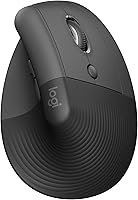
The natural handshake position is the point of the design. Logitech says the 57° vertical angle reduces wrist pressure and muscular activity compared with a standard mouse.
Give your hand a few days to adjust before judging the fit.
If you're still deciding between vertical models, our roundup of the best vertical mouse compares the options. Owners who prefer a thumb-controlled pointer can also look at how to connect an Evoluent mouse to a computer.
Which MX Vertical version should you buy?
Both versions use the same Bluetooth and receiver connection, so pick on color. The Logitech MX Vertical Mouse in graphite is the version most buyers know, while the Logitech Mouse MX Vertical, model number 910-005448, is listed in black but differs from the graphite model in its dimensions, weight and hand orientation.
Check both product pages before you order.
The connection steps above work for either one. The graphite model includes the receiver and USB-C cable, and both connect over Bluetooth or USB.
If you want the exact model number and color, check the product page before you order. The connection method is identical.
What else should you know about the connection?
The MX Vertical is a wireless mouse first, with a cable for charging. It isn't a wired-only mouse, so you can unplug once the battery has some charge.
The mouse pairs over Bluetooth Low Energy, which is the low-power version of Bluetooth built into modern laptops. That's why it can last months between charges.
Logitech lists Windows 10 or later as the minimum required operating system, and macOS 10.15 or later for Mac. Older systems may need the receiver instead of Bluetooth.
The mouse also works with iPadOS 13.4 and later. Pairing an iPad follows the same steps as a Mac.
If the mouse won't pair on any method, try it on another computer. That tells you whether the problem sits with the mouse or with the machine's Bluetooth or USB.
How do you keep the MX Vertical connected long term?
Keep it charged, leave the receiver in one port and switch channels rather than re-pairing. Small habits prevent most connection problems.
Plug the USB-C cable in when the battery light warns you. The quick charge gets you back to work fast, and a full charge takes the mouse through months of use.
Clean the sensor window now and then. Dust on the underside can make the cursor jump, which looks like a connection fault but isn't.
Re-pair only when you change computers or the link truly fails. Each extra pairing leaves a stale device entry behind.
To sum up how to connect a Logitech MX Vertical mouse: charge it, turn it on, then pair over Bluetooth or plug in the receiver. Use Bluetooth to keep a port free and switch between devices, and keep the receiver as the fallback for machines without it.
If the mouse still won't respond, remove the pairing and start fresh on a different channel.
Frequently asked questions
Does the Logitech MX Vertical work without the USB receiver?
Yes, the MX Vertical connects over Bluetooth Low Energy, so the receiver isn't needed. The receiver is included for machines without working Bluetooth.
You can also use the included USB-C cable while it charges.
How do I switch the MX Vertical between two computers?
Pair each computer to a different channel, then press the channel button to switch. Up to three channels can be paired.
The mouse reconnects to the selected device when you press the channel button.
How long does the MX Vertical battery last on a charge?
Logitech rates the battery at up to four months on a full charge, and a one-minute quick charge gives about three hours of use. Battery life varies with use and conditions.
Recharge with the included USB-C cable when the light warns you.
What do I do if my MX Vertical stops responding?
Charge the mouse, then turn it off and on again. If it's paired over Bluetooth, remove the device from your computer's Bluetooth list and pair it fresh.
For the receiver, unplug it and use a different USB port.